

Sentence
A quiet Markdown editor for people who write a lot. Pay once, no subscription.
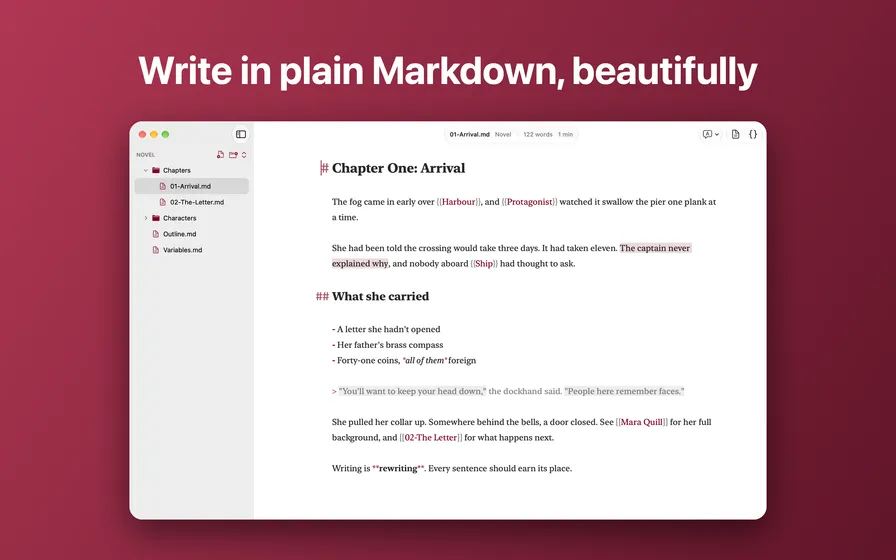
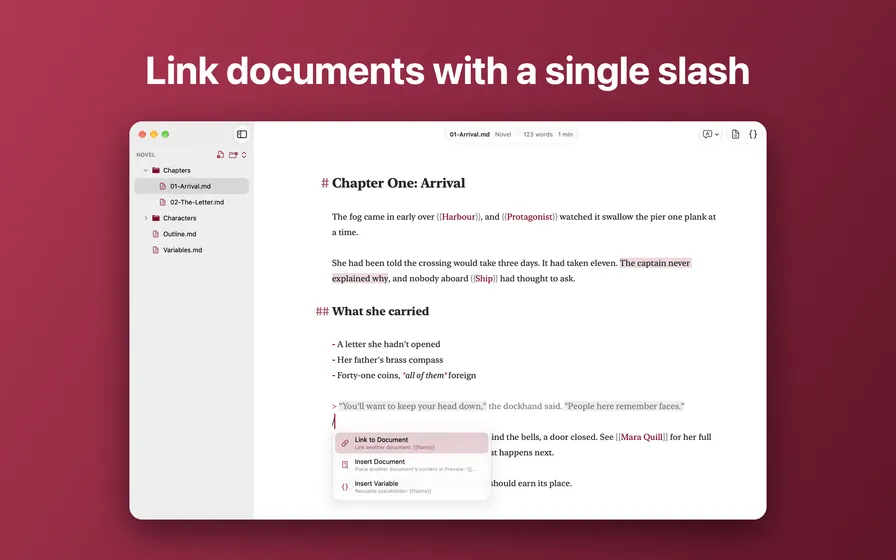
Open a folder and your whole project is there: chapters, notes, characters, an outline. Everything stays in plain .md and .txt files on your Mac, so your writing is never locked in, and it works with iCloud Drive, Dropbox or git.
Comment right in your text
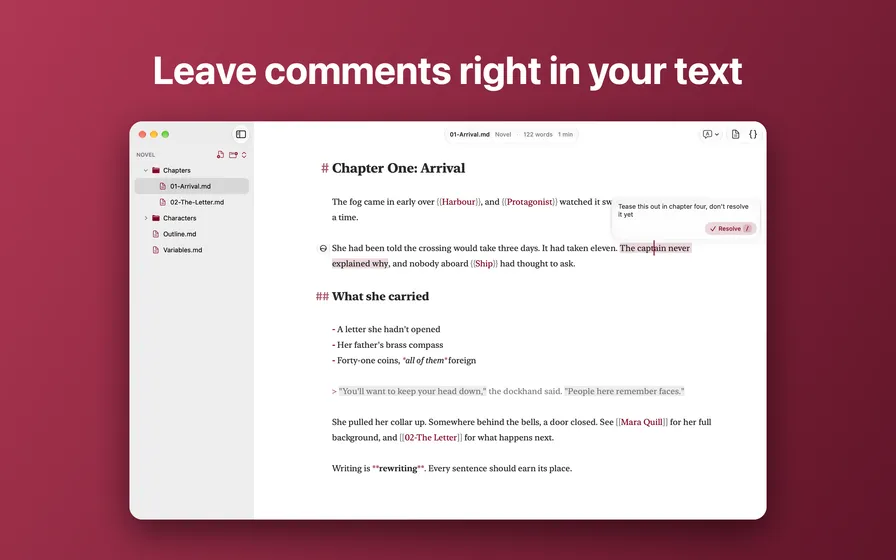
Select a phrase and leave a note to yourself or a co-writer. Comments are stored inside the file using CriticMarkup, so they travel with your text and show up in any editor. Resolve a comment when you’re done with it.
Decide names later
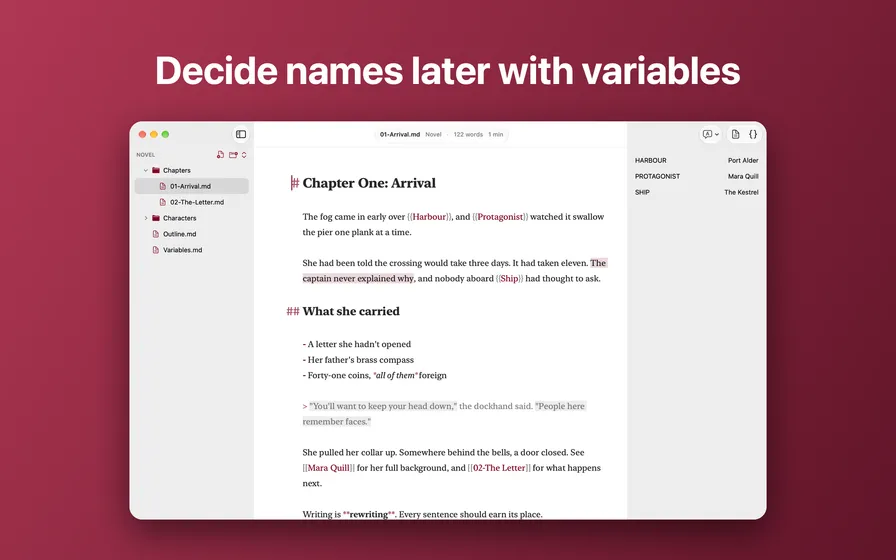
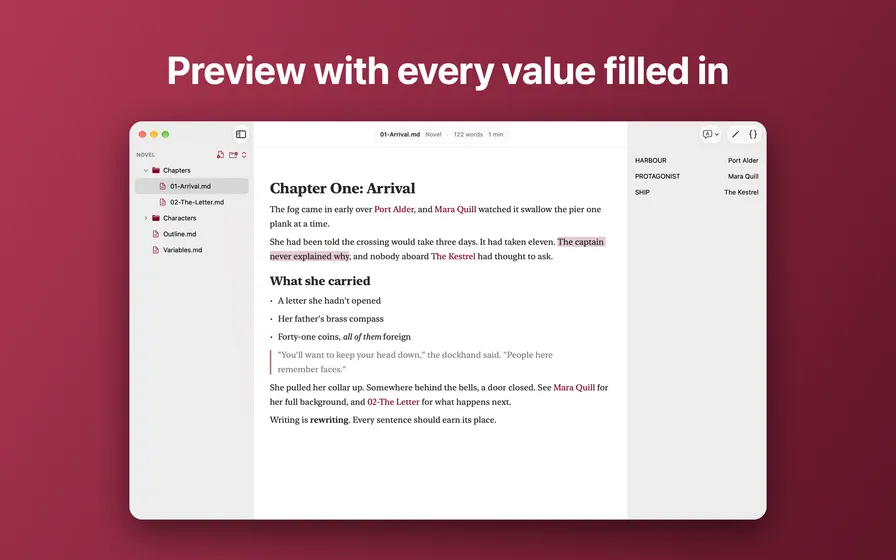
Don’t know what to call the harbour yet? Write {{Harbour}} and carry on. Set the value once, in the Variables panel, and it updates everywhere in your project. Preview shows your text with every value filled in.
Link your documents
Type [[ to link to another file in your project, or use the slash menu to link, embed another document in Preview, or insert a variable. No databases, no import step.
Write without friction
- Live Markdown styling: headings, bold, italic, lists and quotes look right as you type
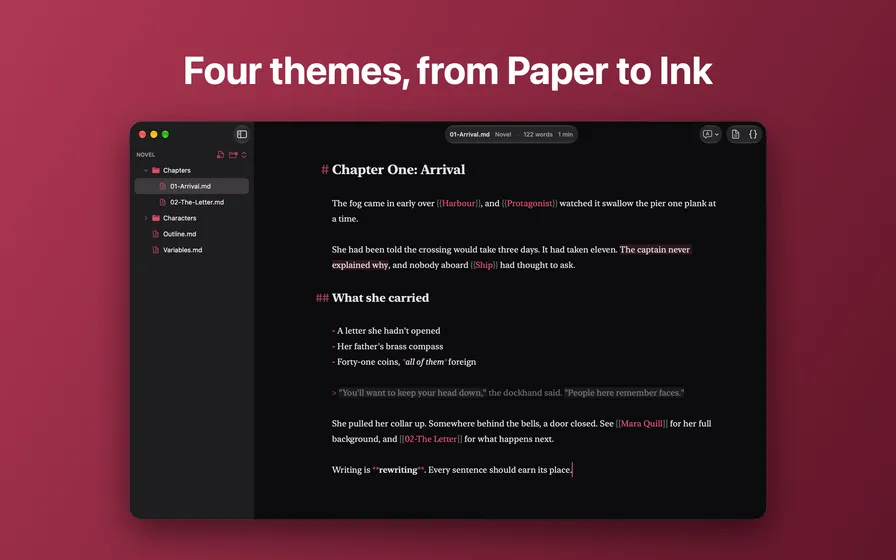
- Four themes: System, Paper, Dusk and Ink
- Eight typefaces, including New York, SF Pro, SF Mono and Menlo, at any size
- Focus mode highlights the current sentence or paragraph
- Steady Line keeps your cursor line in a comfortable place on the screen
- Optional spelling and grammar checking
- Live word count and reading time
Built for the Mac
Sentence is a native app, designed for macOS 26. It opens Markdown and plain text files from Finder, remembers your recent projects, and keeps your files safe in the App Sandbox. It doesn’t collect any data about you or your writing. Read the privacy policy.